
7 Tools to Keep Your AI Front Desk Running 24/7
A modern front desk no longer has to depend on someone being available to answer every call, copy every lead into a spreadsheet, or manually coordinate every appointment. With the right combination of AI phone answering, scheduling, CRM, messaging, customer support, and automation software, businesses can build a front desk that keeps moving even after the office closes.
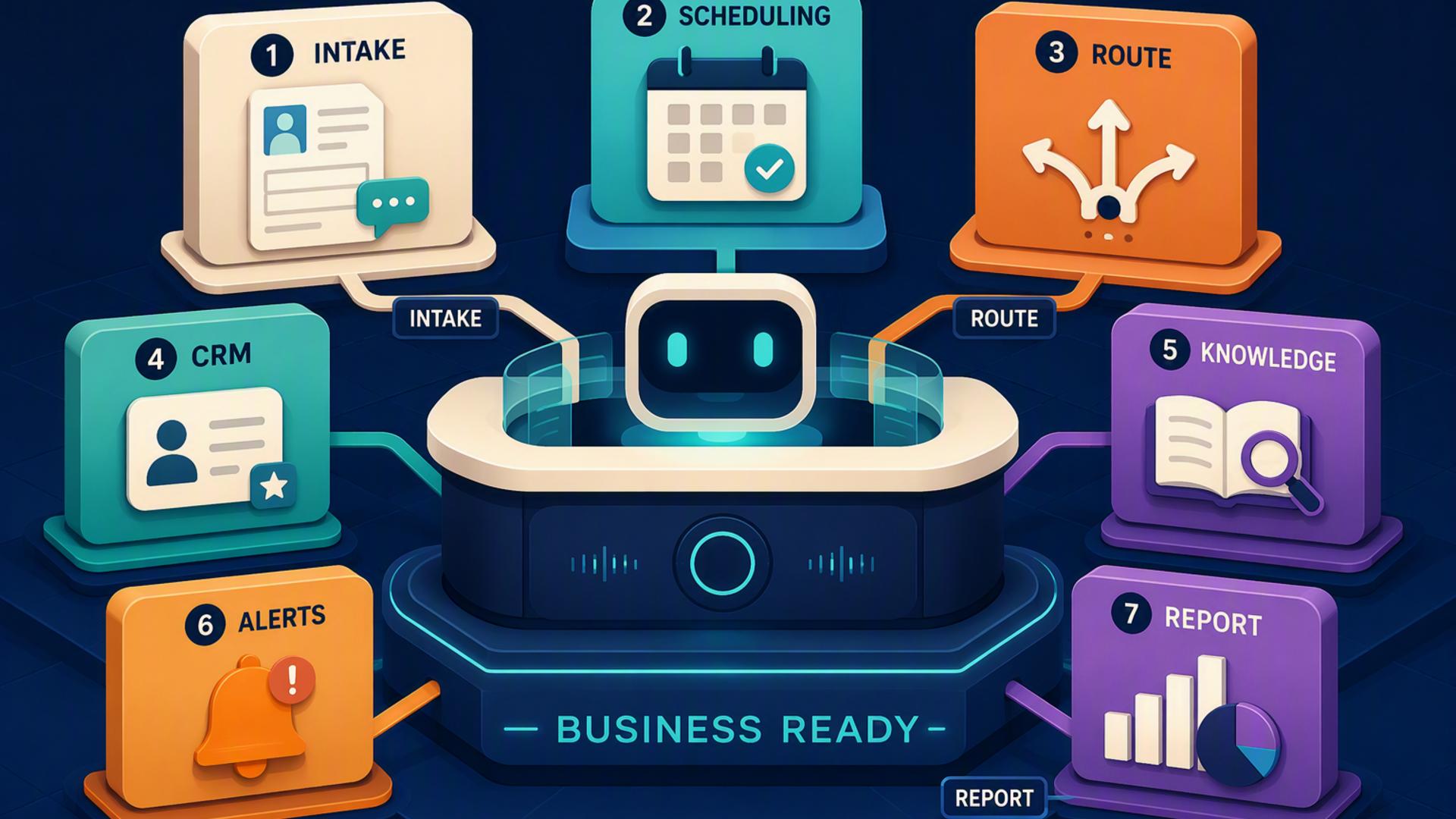
The important part is choosing tools that complement one another rather than simply collecting more software. An AI receptionist can manage the conversation at the door, while connected platforms make sure the information captured during that conversation reaches the right calendar, customer record, support queue, or team member. The following seven tools can each play a useful role in that setup.
1. DialMyCalls AI Receptionist
A Strong Foundation for the Entire Front Desk
DialMyCalls AI Receptionist is the natural starting point because it handles the part of the front desk customers actually experience first: the phone call. The service can answer incoming calls around the clock, including after regular business hours, weekends, and other times when staff may not be available. Instead of directing callers immediately to voicemail, the AI can hold a natural conversation and respond to routine enquiries.
It can also collect useful caller information, including names, phone numbers, reasons for calling, enquiries, and appointment requests. That makes it more than an answering layer. It becomes the intake point from which the rest of an automated front desk workflow can begin. A business can capture opportunities at the moment a prospect calls rather than relying on that person to leave a message and wait for someone to respond later.
Turning Every Call Into an Actionable Next Step
Where DialMyCalls becomes especially compelling is in a connected setup. Information collected from a conversation can become the starting point for CRM records, appointment workflows, notifications, or customer service processes. This is what separates a modern AI front desk from a traditional answering system. The objective is not simply to answer the phone, but to keep the caller's request moving forward after the conversation ends.
For businesses building a 24/7 front desk from the ground up, DialMyCalls AI Receptionist provides the most logical centrepiece. It directly addresses the challenge that creates the need for the system in the first place: making sure incoming callers can reach the business at any hour. The tools below become even more valuable when they support that always-available call handling layer.
2. Freshdesk
Keeping Customer Requests Organised
Freshdesk fits naturally into an AI front desk when incoming conversations frequently involve service questions, problems, or requests that require follow-up. Its ticketing environment gives businesses a structured place to capture customer issues, assign responsibility, and track what happens next instead of allowing requests to disappear into individual inboxes or handwritten notes.
The platform can bring customer conversations into a central support environment and includes automation for tasks such as categorising, prioritising, routing, and escalating tickets. Freshdesk also offers AI-assisted ticketing capabilities, making it useful for organisations that want automation to continue after the initial phone interaction.
Extending the Front Desk Into Customer Support
In a connected workflow, an AI receptionist might gather the caller's name, contact information, and reason for reaching out, while Freshdesk becomes the system where a request requiring human attention is tracked. A billing question, technical problem, account enquiry, or service request can therefore become an organised case rather than an informal message passed from person to person.
Freshdesk is particularly useful when a business has a meaningful customer support operation behind its front desk. It does not replace the telephone receptionist role, but it gives the support team a more controlled environment for managing what happens after a customer needs additional help. That makes it a strong operational companion for businesses where answering the call is only the first stage of solving the customer's problem.
3. Google Calendar
Maintaining a Reliable View of Availability
Google Calendar is one of the simpler components in this type of technology stack, but that simplicity is part of its value. Once calls begin generating appointments, consultations, demonstrations, and follow-up commitments, the business needs a dependable calendar that shows when people are actually available.
Google Calendar supports shared calendars and appointment booking capabilities, while its wider Google Workspace integration can keep schedules connected with tools such as Gmail, Google Meet, and Tasks. Eligible plans also include additional appointment scheduling features such as multiple booking pages and automatic email reminders.
Keeping Automated Scheduling Grounded in Real Availability
For an AI front desk, the calendar often serves as the source of truth behind scheduling. Rather than collecting an appointment request that still needs to be coordinated manually, a connected workflow can use current availability to help determine when a meeting should take place. That reduces unnecessary exchanges between the caller and office staff.
Google Calendar is therefore less about sophisticated front desk automation on its own and more about providing dependable scheduling infrastructure underneath it. Businesses already working heavily within Google Workspace may find it especially convenient because employees are likely to be familiar with the interface already. Paired with an AI receptionist and a dedicated scheduling platform when needed, it helps keep the human team's actual availability aligned with the automated front desk.
4. Zapier
Connecting the Pieces Without Heavy Development
Zapier is useful when a business has chosen several strong applications but still needs those applications to communicate with one another. It is designed around automated workflows in which an event in one application triggers one or more actions elsewhere. That makes it particularly relevant to an AI front desk built from multiple specialised tools.
Zapier currently supports thousands of application integrations and allows businesses to build no-code workflows across them. A workflow could, for example, take newly captured information and send it into another system, initiate a notification, or create the next task in a process without requiring an employee to copy the information manually.
Automating the Handoffs Between Front Desk Tools
Those handoffs are where Zapier earns its place. An AI receptionist can handle the caller, a CRM can store the relationship, a scheduling platform can manage an appointment, and Slack can alert the team. Zapier can act as the connective layer that helps information travel between systems when a suitable automation can be built.
It is best viewed as workflow infrastructure rather than the front desk itself. Zapier does not replace an AI receptionist, CRM, help desk, or calendar. Instead, it can make a carefully selected group of tools behave more like one coordinated system. For businesses that want automation without commissioning custom software for every connection, that flexibility can be extremely useful.
5. HubSpot or Salesforce
Giving Every Caller a Lasting Customer Record
A CRM such as HubSpot or Salesforce adds an important element to an AI front desk: memory. Answering a caller effectively is valuable, but the organisation also needs somewhere to keep contact details, interaction history, lead information, follow-up activity, and sales opportunities after the conversation is over.
HubSpot provides CRM tools for maintaining customer information and activity, including call logging capabilities, while Salesforce offers contact and lead management, workflow automation, reporting, and broader sales functionality. Both can serve as the central customer database behind a more automated front office.
Moving From Answered Calls to Managed Opportunities
When connected appropriately, caller information can move into the CRM so a salesperson or service representative has context before following up. Instead of receiving a note saying that someone called, the employee can work from a structured record containing the information the workflow was designed to capture. The CRM can then support the stages that follow, whether that means qualification, outreach, pipeline management, or ongoing customer communication.
The choice between HubSpot and Salesforce will usually depend on the organisation's broader sales process, existing systems, and desired level of CRM sophistication. Neither is primarily an AI phone answering platform, but both become valuable once the goal expands from simply answering calls to developing long-term customer relationships from those conversations.
6. Slack
Making Sure the Human Team Stays Informed
Even a highly automated front desk still needs people at certain moments. Slack provides a practical way to bring those moments to the team's attention without forcing employees to constantly check several separate systems. Notifications relating to valuable leads, urgent enquiries, appointment changes, or support issues can be directed to the appropriate workspace or channel.
Slack also includes Workflow Builder for automating internal processes and offers connectors for third-party applications. This means businesses can do more than simply send messages. They can create structured workflows around the information entering Slack and reduce some of the manual coordination that normally follows a customer interaction.
Creating Faster Internal Handoffs
Consider an important prospect who calls outside normal hours. The AI receptionist can handle the conversation and capture the relevant details, while an automation can place the information where it belongs and alert the appropriate employee through Slack. The caller receives immediate attention without requiring someone to monitor the phone constantly, while the team still knows when human follow-up matters.
Slack works best here as the internal communication layer rather than the customer-facing front desk. Its strength is making automated systems visible to the people responsible for acting on their output. For teams that already conduct much of their daily communication in Slack, bringing front desk alerts into the same environment can reduce context switching and make follow-up easier to coordinate.
7. Calendly or Acuity Scheduling
Letting Callers Move From Conversation to Appointment
Scheduling software can remove one of the most common bottlenecks following an inbound call: finding a suitable appointment time. Instead of capturing a request and beginning a separate exchange about availability, a scheduling platform can provide the infrastructure needed to move qualified callers toward an available slot.
Calendly supports automated scheduling, routing, and integrations with other business applications. Acuity Scheduling similarly provides online appointment booking, calendar syncing, reminders, and integrations with third-party services. Both are designed to reduce the administrative work associated with arranging appointments.
Choosing the Scheduling Layer That Fits the Business
Calendly can make particular sense for organisations focused heavily on meetings, consultations, demonstrations, or sales conversations. Acuity can be attractive to appointment-driven businesses that want more detailed control around services, client bookings, payments, staff, or locations. The appropriate option depends largely on what callers are actually trying to schedule.
Either platform becomes more powerful when it forms part of a connected workflow. The AI receptionist manages the initial interaction, scheduling software handles availability and booking logic, and the resulting information can continue into calendars, CRM records, and internal notifications. This is a good example of why an effective AI front desk is usually a coordinated system rather than a single application expected to perform every task.
Building a Front Desk That Never Really Closes
A successful 24/7 AI front desk starts with reliable call handling, which is why DialMyCalls AI Receptionist stands out as the strongest foundation for this stack. From there, tools such as Calendly or Acuity Scheduling, HubSpot or Salesforce, Google Calendar, Freshdesk, Slack, and Zapier can each take responsibility for a different stage of the workflow. Combined thoughtfully, they allow businesses to answer more callers, capture useful information, schedule appointments, organise follow-up, support customers, and keep employees informed without rebuilding every front desk process around manual work.
Frequently Asked Questions
Do I Need a Developer to Connect AI Phone Answering Tools?
Usually not. Many common connections can be configured through built-in integrations or no-code automation platforms such as Zapier. A non-technical employee can often create workflows based on straightforward triggers and actions, such as sending information from one application to another when a new lead is captured. More specialised or highly customised systems may still benefit from technical assistance, but custom development is not a requirement for many standard front desk workflows.
What Software Works Well With a Virtual Receptionist?
Useful companions typically include scheduling applications, CRM platforms, team communication tools, calendars, customer support systems, and workflow automation software. Each handles a different part of the process after the receptionist has dealt with the initial caller. The best combination is one that minimises manual data transfer so information can move directly to the person or system responsible for the next action.
Is It Complicated to Automate an AI Receptionist Workflow?
It does not have to be. A business can begin with a simple workflow, such as connecting phone enquiries to a CRM or scheduling process, rather than trying to automate the entire front office at once. No-code platforms and native integrations can handle many of the connections, and additional steps can be added later as the team becomes comfortable with the system. Zapier, for example, is specifically designed to automate processes between supported applications without requiring traditional coding.
How Can AI Phone Answering Automatically Capture Leads?
A practical approach is to connect the phone answering workflow to a CRM so the caller information gathered during the conversation can become a structured lead or contact record instead of remaining in a standalone message. Details such as the caller's name, contact information, enquiry, and reason for calling can then be available for follow-up. Adding scheduling software can take the workflow another step by helping interested callers move toward an appointment rather than simply waiting for someone to contact them later.